How to Use Chinilpa Scanner
Chinilpa Scanner lets you search recorded independence activists and collaboration-related records by surname and clan seat (bongwan) — free, no signup, no install.
Step-by-step

Step 1: Enter a surname
Type a surname such as 김 (Kim), 이 (Lee) or 박 (Park). Results appear as you type. Full names and Hanja also work.

Step 2: Enter a clan seat
Type a bongwan such as 김해 (Gimhae) to narrow results to one clan. Leave it empty if you don't know it.
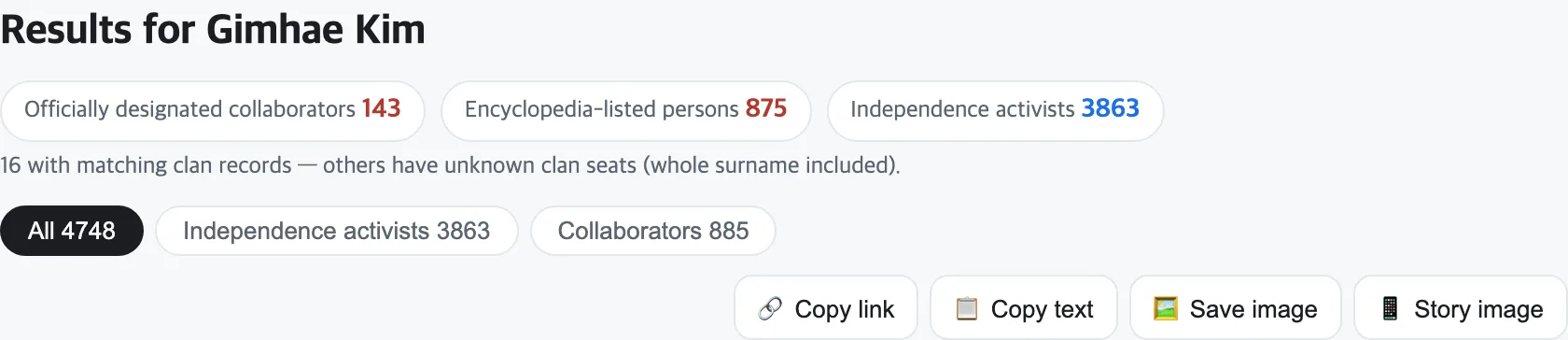
Step 3: Read the results
The summary shows counts of independence activists and collaborators; switch lists with the tabs. Open any card for dates, merit grade, official citation and sources.

Step 4: Save a share card
Use copy link, copy text, save image or story image to share. On mobile the system share sheet sends straight to KakaoTalk or Instagram.
Understanding the labels
Collaboration-related people carry two distinct tags: Official means the government Truth Commission's formal designation (1,006 people); Encyclopedia means listing in a research institute's academic compilation. The two lists are never merged. See methodology.
Before you search
A shared surname and clan seat does not mean direct ancestry — one clan can have hundreds of thousands of members. Article 13(3) of the Korean Constitution prohibits disadvantage for relatives' acts. Namesakes exist: always check dates and sources.
FAQ
Can I search by name?
Yes — type a full name in the surname field. Hanja names and Hangul initials (ㄱㄱ) are supported.
What if I don't know my bongwan?
Search with the surname only, or browse major clan seats per surname on the bongwan page.
Can I type Hanja?
Yes. Hanja surnames (金), clan seats (金海) and person names all work.
Does it work on mobile?
Yes — no app or signup needed, and share buttons use your phone's native share sheet.